How to Change a Nissan Car Key Battery: Simple Steps for Fast Results
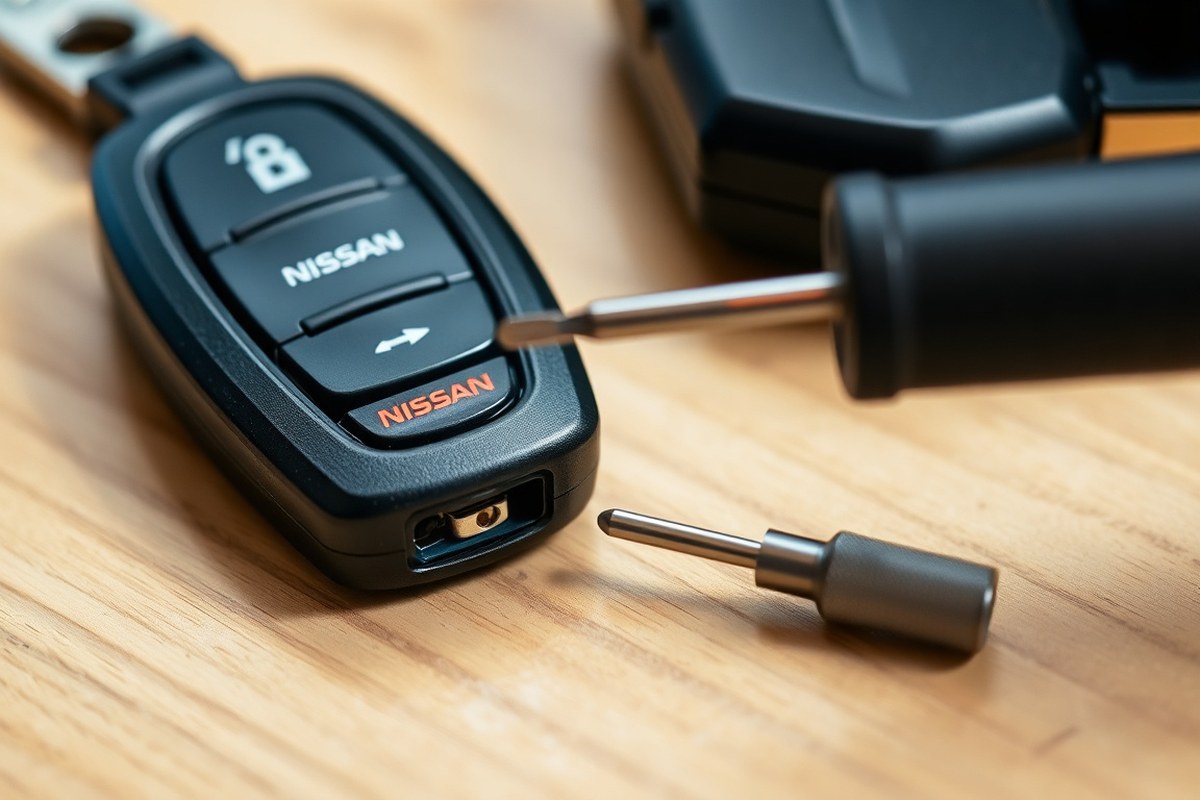
Knowing how to change a Nissan car key battery saves you time and hassle. Most Nissan key fobs use a CR2032 or CR2025 battery that you can swap quickly. You usually only need a small screwdriver and less than ten minutes to finish.
First, check your owner’s manual or look for the battery type in your key fob. Open the fob carefully to avoid breaking it, especially with proximity keys. Make sure to insert the new battery face down to keep the key working right.
After replacing the battery, test the key fob before sealing it back. This ensures the button signals reach your car correctly. Your fob might need professional help or reprogramming if it still fails.
Key Takeaways
- Replace your Nissan key fob battery every 2 to 4 years for best performance.
- Use a small screwdriver to avoid damaging the key fob case when opening it.
- Confirm your battery type is CR2032 or CR2025 before buying a replacement.
- Insert the new battery with the positive side facing down inside the fob.
- Test your key fob’s buttons after battery replacement before snapping it closed.
- Never swallow button batteries; they can cause serious harm quickly.
How to Change a Nissan Car Key Battery Step by Step
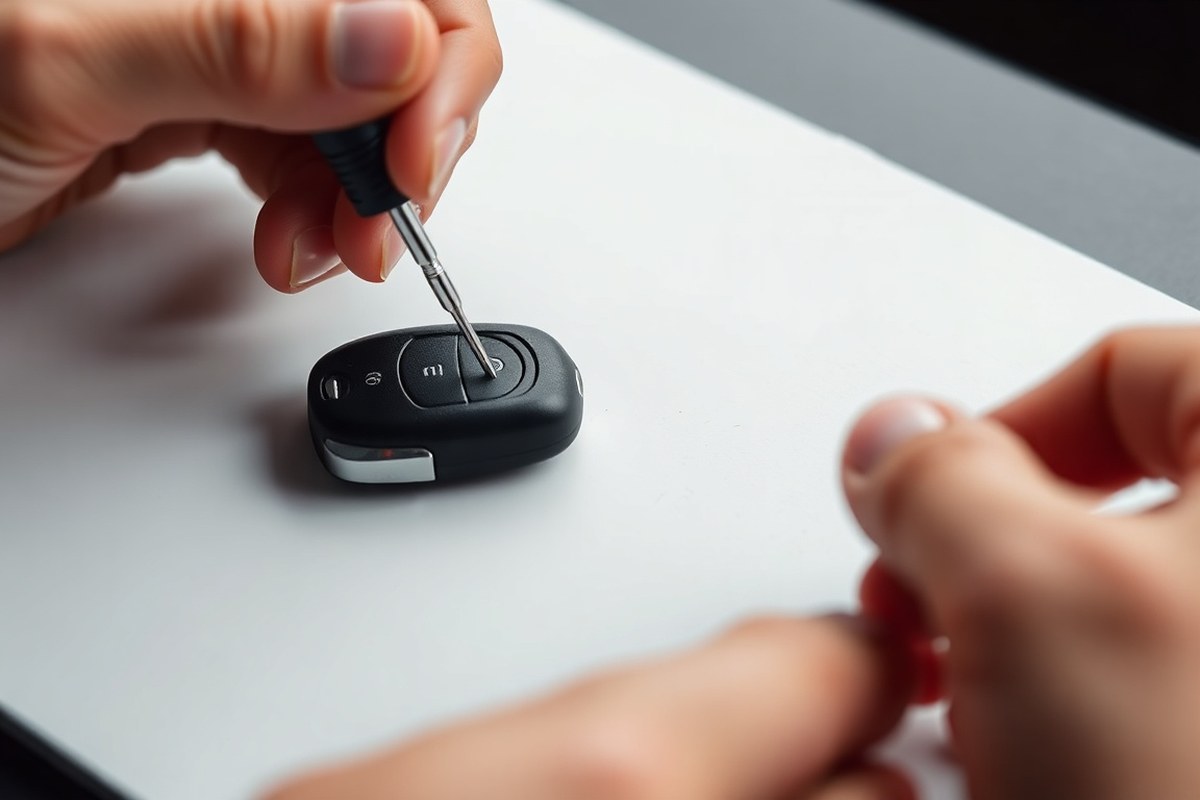
Changing a Nissan car key battery takes only a few minutes. You need a couple of simple tools to do it. The process is easy to follow.
Open the key fob carefully. Take out the old battery.
Place the new one the right way and close the case. Testing the key functions after will confirm your work.
Removing the Mechanical Key
Start by taking out the mechanical key inside your Nissan key fob. This piece slides out and lets you open the fob safely without forcing the case.
Locate the release switch on the back of the key fob. Press this switch while pulling the mechanical key out gently.
Opening the Key Fob Case Safely
Use a small flathead screwdriver and a cloth to avoid scratching the fob’s plastic. Gently insert the screwdriver into the slot at the seam where the two halves meet.
Twist the screwdriver slowly to pry the case open. Avoid too much force to prevent damaging the casing or internal components.
Replacing the Battery Correctly
Remove the old battery carefully using the flathead screwdriver. Watch how the battery sits before you take it out so you can match the orientation.
Insert the new battery with the plus (+) side facing the bottom half of the fob. This correct position is important for the key to work properly.
Reassembling and Testing the Fob
Align the two halves of the key fob case and press them together firmly. You should hear a click or a snap when it’s securely closed.
Slide the mechanical key back into its slot and reset the release switch. Test the lock and unlock buttons to verify the battery works.
- Press the release switch on your key fob’s back. Pull out the mechanical key. Keep it safe for later use.
- Cover a small flathead screwdriver with a cloth first. Use it to pry apart the key fob’s two halves gently. Be careful not to damage the case.
- Remove the old battery carefully and note the plus (+) side orientation.
- Insert the new battery with the plus side facing the lower half of the fob.
- Snap the two halves of the key fob case securely back together.
- Place the mechanical key back into its slot and secure the latch.
- Test the key fob’s buttons to make sure the new battery works well.
Which Battery Type Does My Nissan Key Fob Need?
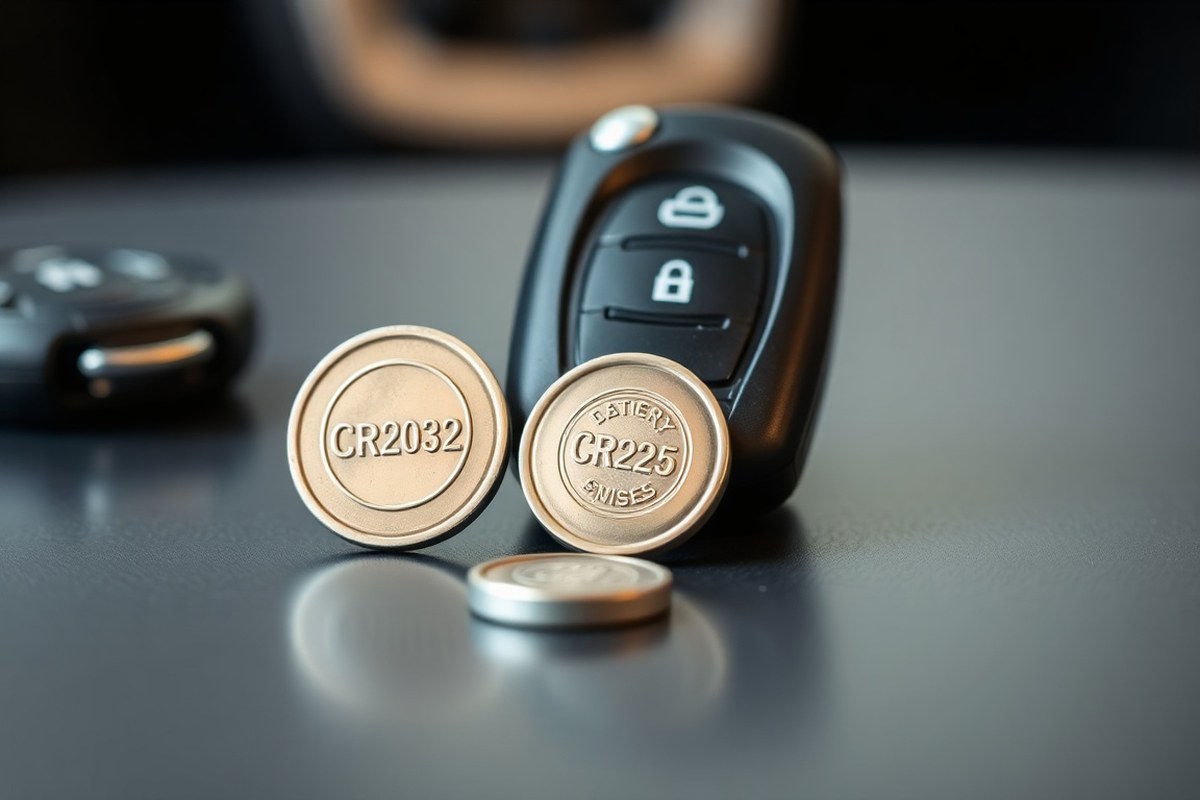
Most Nissan key fobs run on either a CR2032 or CR2025 lithium coin battery. These small round batteries power your key’s remote functions like locking and unlocking. Check your key fob’s manual to find the right battery.
You can also open the fob and look at the battery model number. This helps you buy the correct replacement battery.
Usually, newer Nissan models, like the Rogue flip key fob (2014-2020), use a CR2032 battery. Older models often use the CR2025 instead.
Picking the wrong size can cause poor contact and malfunction. To avoid mistakes, always verify by opening your key fob carefully and comparing the battery inside.
| Nissan Key Fob Model | Common Battery Type | Year Range |
|---|---|---|
| Rogue Flip Key Fob | CR2032 | 2014, 2020 |
| Older Nissan Models | CR2025 | Pre-2014 |
| Intelligent Key Fobs | CR2032 or CR2025 | Varies by model |
Choosing a good replacement battery matters. Generic batteries usually work if they match size and voltage. Both CR2032 and CR2025 need 3V to function properly.
Always double-check the battery specs before buying. However, cheap batteries may wear out faster or leak, damaging your key. A good brand battery costs about $3 to $6.
These batteries last longer and protect your key fob better. Spending a bit more can save you trouble later.
Always align the battery’s positive side (+) as indicated inside the fob. A simple mix-up stops the remote from working. After changing the battery, press all key fob buttons to test.
Make sure each button works before closing the fob. This ensures your key fob runs smoothly.
Never force the battery into place. Damaging contacts or casing can cause key fob failure.
Signs Your Nissan Key Fob Battery Is Running Low
Your Nissan key fob may not work well when its battery runs low. This can cause problems with locking, unlocking, or starting your car. Acting quickly helps you avoid being locked out or stuck with a dead key fob.
Low battery in the key fob often shows as shorter remote range. You may notice the key fob only works when close to the car. Sometimes the doors unlock or lock slower than usual.
The key may fail to wake your car remotely or the signal feels weak. Many Nissan dashboards will display a warning icon or message about the key battery.
- Shorter remote range than usual
- Delayed response when locking/unlocking doors
- Dashboard warning about key fob battery
- Weak or intermittent remote signals
- Car may not respond to the key unless very close
The low battery won’t usually stop the car from starting if you use a push-button start. Most Nissan models detect the key fob nearby even if its battery dies. Still, remote functions like locking and unlocking won’t work well or at all.
It’s smart to replace the battery as soon as you notice these signs. Waiting too long can lead to total loss of remote control.
Replacing the battery early avoids surprise lockouts or running into car start problems. The typical key fob battery costs just a few dollars. It lasts around 1 to 2 years.
CR2025 is a common battery type for fobs. Installing a new battery properly ensures your Nissan’s remote features run smoothly again. Test the fob after swapping the battery.
Lock your car from a few feet away. Then unlock it to check the signal. This confirms the battery is working and the key fob functions are restored.
What Tools and Precautions Are Needed for Changing the Battery
Replacing the battery in your Nissan key fob needs a few simple tools. Start with a small flathead screwdriver or a coin to pry open the case gently. You’ll also need a new lithium battery matching your fob’s model, usually a CR2025 or CR2032.
Handle everything carefully to avoid damaging the key fob’s delicate circuits. Hold the battery by its edges when removing or installing it. Avoid touching the terminals or inner components to prevent static damage or short circuits.
- Small flathead screwdriver or coin for opening the case
- Replacement lithium battery matching the fob’s specification
- Soft cloth to place the fob on while working
- Clean, dry hands or use gloves to avoid oil transfer
- Container for the old battery to avoid loss or mixing
Open the key fob case slowly to avoid cracking the plastic or bending contacts. Always work on a flat, stable surface with good lighting.
Be careful not to force the case open. Some Nissan key fobs snap together with clips that can break easily.
Lithium batteries are safe but still require caution. Keep them away from children and pets.
Dispose of old batteries according to local rules, they can be harmful to the environment. Don’t touch the battery terminals with metal tools to avoid short circuits.
How to Start Your Nissan If the Key Fob Battery Dies
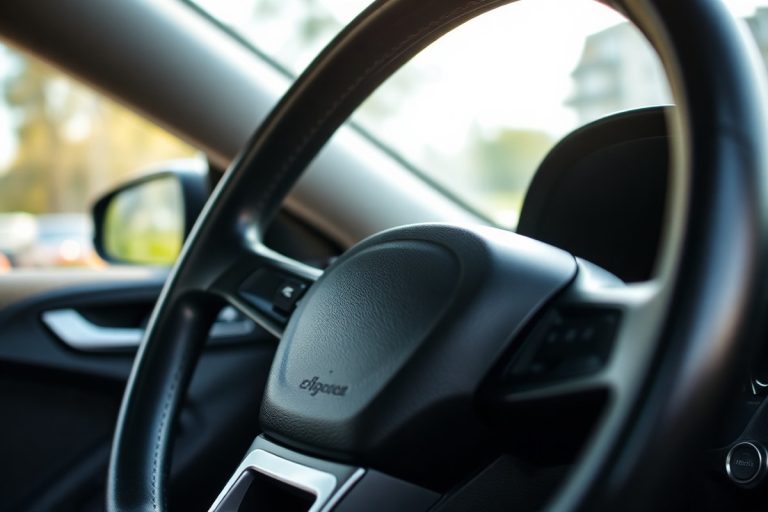
You can start your Nissan even if the key fob battery is dead. Some Nissan models have a key fob port near the steering wheel to insert the fob. Some Nissan models let you press the key fob against the start button.
This starts the engine without a traditional key. It’s a quick way to get going.
Starting with a Key Fob Port
Many Nissan models with push-button start include a key fob port. This port usually sits near the steering wheel or on the lower dashboard. It reads the key fob when the battery is low.
This lets you start the car without changing the battery right away. You can keep driving for a bit longer.
Use this method to get going until you can change the battery. Here are the steps to use the key fob port:
- Locate the key fob port near the steering wheel or on the dashboard.
- Hold your Nissan key fob with the battery side facing the port.
- Insert the key fob into the port firmly until it clicks or sits snugly.
- Press and hold the brake pedal, then push the start/stop button.
- Wait for the engine to start, then remove the key fob from the port.
Not all Nissan models have this port. So check your owner’s manual for exact location.
Starting Without a Key Fob Port
Your Nissan can still start if it has no key fob port. Just press the key fob right against the start button. That will let the engine turn on.
The car senses the fob’s proximity even with a dead battery this way. You must be inside your car to start it.
Press the brake pedal first. This lets the ignition engage and the engine start.
Follow these steps for this method:
- Hold the key fob so the nose side faces the engine start/stop button.
- Press and hold the brake pedal with your foot.
- Press the key fob directly against the engine start/stop button.
- While still pressing the fob, push the start/stop button once to start the engine.
- Remove the key fob after the engine starts and operate the car as usual.
This method works only if the key fob is near the start button. It needs to be close enough to be detected. Otherwise, the car won’t start.
Using the Emergency Mechanical Key
Your Nissan key fob contains an emergency mechanical key. This key lets you get the driver’s door if your fob battery dies completely. It doesn’t start the car, but it lets you enter quickly and safely.
Here’s how to use the emergency key to unlock your car:
- Look for a latch or button on the back of the key fob. Press it to release the emergency key. This key can be used if the fob battery dies.
- Pull out the mechanical key carefully from the key fob body.
- Locate the door lock cylinder on the driver’s door, usually behind a small cover.
- Insert the emergency key into the lock cylinder and turn it to get the door.
- Open the door and get inside the vehicle.
After unlocking your Nissan, start it using the key fob port. Or press the key fob against the start button to start. Either way works to get your car going.
Troubleshooting When the Key Fob Doesn’t Work After Replacement
After changing the battery, your Nissan key fob might still not work. This often happens when the battery is installed backward. Make sure the battery’s positive side faces the right way.
Check the inside of the fob to confirm. This ensures the fob works properly.
Another common issue is the key fob case not closing properly. The case must snap shut firmly to keep the battery touching the contacts. Press the case gently until you hear a click.
This secures the case if it feels loose. Don’t press too hard to avoid damage.
Small debris or dirt inside the case can also block a proper fit. Clean the interior with a dry cloth before closing.
Test the fob by pressing all buttons. This checks if the battery and case fit well. Confirm the battery matches the fob model.
The lock and unlock lights on the car should respond quickly. You might need to reprogram the fob. This happens when pressing buttons does nothing.
Follow your Nissan’s guide or visit a dealer. Some Nissan models need dealer programming after battery change. Contact your local dealer if the key fob won’t connect to your car after replacement.
- Double-check battery orientation (positive side facing correctly).
- Ensure the key fob case snaps fully closed.
- Clean contacts and inside the case before reassembling.
- Try pressing multiple fob buttons to test function.
- Consider dealer programming if the fob doesn’t work.
- Order a replacement fob if the current one stays dead.
- Visit a mechanic or dealer for deeper electrical issues.
When reprogramming is required, the dealer usually charges $50 to $100. This cost covers syncing the key fob with your car’s security system. A fob that works on and off might have worn contacts.
Check the battery contacts inside the fob. Replace or clean them if needed. Loose or damaged contacts reduce signal strength and require professional help.
Sometimes, a quick reset helps. Remove the battery and press any button on the fob for 10 seconds. Reinsert the battery and test again.
This clears minor glitches without a dealer visit. However, always handle the battery and key fob gently to prevent damage.
Differences in Battery Replacement for Various Nissan Key Types
Battery replacement for Nissan keys depends on the key type. Usually, you only need a small screwdriver and a CR2032 battery. Intelligent Keys are simpler to open than flip keys or standard remotes.
But all types use similar batteries in most cases. Model-specific tips help with Nissan Sentra, Rogue, and Maxima keys. These cars often use Intelligent Keys with the same battery type.
Intelligent Key Battery Replacement
Most Nissan Intelligent Keys use a CR2032 battery or an equivalent coin cell. You can open the key with a small flat-head screwdriver by gently prying along the seam. The plus (+) side of the battery faces the bottom half of the key case.
Intelligent Keys don’t usually need reprogramming after you replace the battery. Press the lock and unlock buttons after closing it to check if it works. These keys are common on Nissan Sentra, Altima, Rogue, and Maxima models.
Flip Key Fob Battery Replacement
Flip keys require opening along the seam to reach the battery compartment. Use a small screwdriver to carefully separate the two halves without forcing the plastic.
Like Intelligent Keys, flip keys often use CR2032 batteries. But check to confirm before replacing.
After swapping the battery, snap the case back shut and test the buttons. This process is trickier than with Intelligent Keys.
The mechanical flip mechanism inside makes it harder. Avoid damaging the flip spring or button parts during the replacement.
Standard Remote Key Battery Replacement
Standard Nissan remote keys usually have a battery cover on the back. You can remove it with your fingers or a small screwdriver.
These remotes most often use a CR2032 battery. But some older models might need a different size.
Put the new battery in with the plus (+) side down. Close the cover firmly and test the lock and unlock buttons. This method is straightforward and usually takes just a few minutes.
| Item | Details |
|---|---|
| Battery type | CR2032 on most Intelligent Keys (or equivalent) |
| Tools | Small screwdriver, clean cloth, new battery |
| Time needed | A few minutes |
| Battery position | Plus (+) side facing bottom of the lower case half |
| Test | Press lock and unlock after closing the case |
Using a silicone key fob cover can protect your Nissan key after battery replacement. It helps prevent wear to the casing and button damage. Many owners of Nissan Maxima, Rogue, and Altima find this useful for extending key life.
How to Protect and Prolong Your Nissan Key Fob Battery Life
Handling your Nissan key fob with care helps its battery last longer. Avoid dropping it or squeezing it tightly, as shocks may hurt the battery and electronics inside.
Keep the fob dry. Avoid temperature extremes below 32°F or above 113°F. These can drain its battery and cause damage.
Protecting the internal electronics matters because moisture or dust can cause corrosion or shorts. Use a small case or pouch to shield the fob when you’re not using it. Keep the fob away from direct sunlight.
Don’t leave it in a hot car. This is especially important during summer.
- Remove the key fob from your pocket or bag when not using it
- Avoid pressing buttons repeatedly or unnecessarily
- Keep it stored in a dry, cool place away from water
- Use protective covers to block dust and minor impacts
- Don’t expose it to extreme heat or freezing temperatures
- Clean the key fob gently with a soft, dry cloth
- Replace the battery every 2 to 3 years as preventive care
Proactive battery replacement can prevent sudden failures that leave you stranded. Most Nissan key fob batteries last about two to three years depending on use and environment. Test your key’s performance once a year.
Change batteries even if there are no warning signs. This is important if you press buttons often.
Never open the fob in damp or dusty areas; debris can harm the electronics.
Being gentle with the fob’s buttons also prevents inside wear. Don’t hold a button down for long or mash multiple times quickly. Simple habits like these reduce electrical load on the battery and extend the whole device’s lifespan.
When to Call a Dealer or Locksmith for Battery Replacement Help
Some Nissan key fob battery changes are best left to the pros. Call a dealer or locksmith if the key fob won’t work. This happens even after changing the battery.
They can help you fix it. Also, if the fob needs reprogramming after battery replacement, a professional can handle this safely. Complex fob designs or broken cases often require expert tools or parts.
You might need to reprogram the key fob after battery removal. This usually happens if the battery stays out too long. Fob resetting during replacement can cause this too.
Dealers and locksmiths have the equipment to re-sync your key fob with the vehicle quickly. Most professional services take less than 15 minutes. Expect to pay between $50 to $150 depending on the dealer, locksmith, and key type.
Look out for these signs, which mean you should get professional help:
- Fob buttons don’t respond after battery change
- Battery is stuck or difficult to replace
- Fob housing is cracked or damaged
- Your Nissan uses a smart key or push-to-start system
- Reprogramming instructions aren’t included or don’t work
- You want to avoid risking damage or reprogramming errors
Find a trustworthy dealer or locksmith by asking for local recommendations. Check online reviews and verify they specialize in Nissan key fobs. Some locksmiths offer mobile service, which saves travel time.
Dealers might charge more but guarantee exact parts and programming. Always ask for upfront pricing and estimated service time before handing over your key fob.
Getting professional help can save you headaches and costs from accidental damage. It’s best to visit a dealer for brand-new or rare key fobs.
Locksmiths are usually cheaper and good for standard battery swaps and simple reprogramming. Keep your receipt and verify the fob works completely before leaving the shop.
Step-by-Step Action Plan for Changing Your Nissan Key Fob Battery
Follow these clear steps today to replace your Nissan key fob battery quickly and safely.
- Before beginning: Make sure you have the right battery for your Nissan key fob. Look in the owner’s manual or use your old battery to identify the type.
- Preparation phase: Gather a small flathead screwdriver and a clean workspace. You’ll need steady hands and good light to avoid damage.
- Opening the fob: Carefully pry open the key fob case with the screwdriver along the seam. It should snap open without much force.
- Removing the old battery: Take out the old battery using your fingers or a small tool. Avoid touching electronics inside to keep them safe.
- Inserting the new battery: Place the new battery the same way the old one was positioned. Check the polarity markings on the battery and fob.
- Closing the fob: Snap the key fob case shut firmly. Make sure it’s fully sealed and clips back together without gaps.
- Testing: Press the buttons to check if the key fob works as expected. The locks should respond, confirming successful replacement.
- Troubleshoot as necessary: Try replacing the battery again when the fob fails to work, or have a dealer or locksmith reset it.
Frequently Asked Questions
How Do I Avoid Damaging My Nissan Proximity Key When Changing the Battery?
Be gentle when opening the key fob. Use a small flat screwdriver carefully to avoid breaking clips or internal parts inside the key.
Can I Test a New Nissan Key Fob Battery Before Inserting It?
Yes, test the new battery with a voltmeter to check voltage. This prevents installing a faulty or dead battery and saves time.
How Long Should I Wait Between Using My Old and New Key Battery?
Swap the battery immediately to avoid key fob shutdown. Delays might cause a temporary loss of remote function or require reprogramming.
Is There a Difference in Replacing Older Nissan Key Fob Batteries vs. Newer Models?
Older models may have a simpler battery access design. Newer ones could require special tools or extra care with chips inside.
What Should I Do If My Nissan Key Fob Won’t Work After Battery Replacement?
First, check battery placement is correct and test with a spare battery. Problems sticking around mean your fob may need reprogramming or repair.
Wrapping Up
Changing your Nissan key fob battery is simple with the right tools and care. Always check the battery type before you start. Try replacing it today to keep your key fob working reliably.